The Ultimate Recipe Book Template for Canva: Your Culinary Story, Beautifully Told
Every home cook, baker, or food entrepreneur has a collection—a cherished binder of handwritten notes, a digital folder of screenshots, or a stack of recipe cards passed down through generations. These aren't just instructions; they're stories, memories, and culinary heritage. Yet, they often live in disorganized, fragile formats. You deserve a beautiful, cohesive way to preserve and share these treasures. Whether you're aiming to create a personal heirloom, a gift for your family, or a professional cookbook to sell, the process starts with a solid foundation. This is where a thoughtfully designed template system transforms your scattered notes into a polished, publish-ready masterpiece.
More Than Just Pages: The Anatomy of a Professional Cookbook
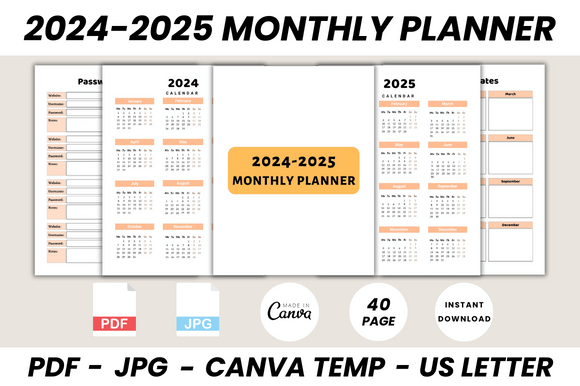
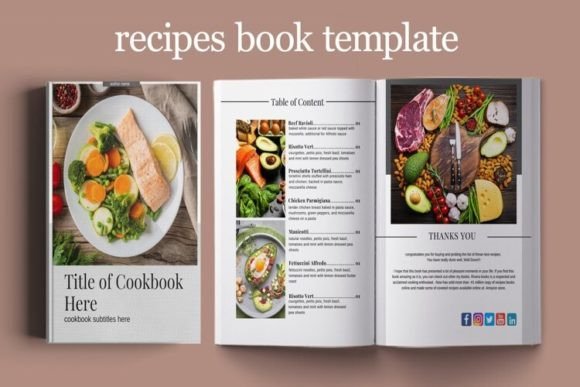
When you open a well-designed cookbook, you feel its intentionality. The layout guides your eye from the ingredient list to the method, the photos complement the text, and the overall aesthetic builds a brand. The Recipe Book Template for Canva is built on these professional design principles. It's not a static, unchangeable PDF. It's a dynamic, editable ecosystem designed in Canva, the accessible online design platform. The template is crafted in US Letter size (8.5″ by 11″), a standard that ensures compatibility for both print and ebook distribution, from local printers to major digital platforms.
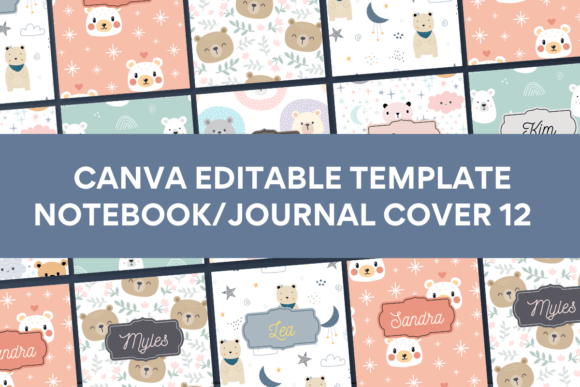
The core strength lies in its structure. The package includes 12 versatile ebook page templates that cover every essential section of a cookbook. You get multiple cover options to make a striking first impression. Dedicated recipe pages provide clean, readable layouts for your ingredients and instructions. Content pages allow you to weave in introductions, stories, or cooking tips. The inclusion of about the author pages is crucial for building a personal connection with your readers, especially if you're publishing commercially. Practical additions like the My Weekly Meal Plan and My Daily Diet sheets add immense value, transforming your book from a simple collection into a functional kitchen tool. Finally, a thank you page offers a gracious closing, perfect for acknowledgments or a final personal note.
Design Flexibility: Making It Uniquely Yours
A template should be a starting point, not a cage. This is where customization is paramount. The Recipe Book Template for Canva is built for total creative control. You are not locked into any specific font, color scheme, or image. Every single element is editable.
Text & Typography: Every heading, subheading, and body text line is fully editable. This means you can inject your brand's voice. Swap the default sans serif font for a warm, approachable script font for chapter titles, or choose a classic serif font for the recipe body to enhance readability. The ability to change all fonts allows you to experiment with font pairing—combining a display font for impact with a clean, modern typeface for instructions. This control directly influences visual hierarchy, ensuring readers can easily scan your recipes.
Visuals & Layout: Drag and drop your own food photography, family snapshots, or ingredient illustrations directly into the frames. You can adjust colors to match your brand identity or personal kitchen aesthetic. The template's structure is non-destructive; you can add, copy, delete, or rearrange pages with simple clicks. Need more recipe pages? Duplicate them. Want to remove the meal planner for a specific project? Delete it. This flexibility makes it suitable for a wide range of projects, from a 20-page family booklet to a 200-page commercial cookbook.
Practical Applications: From Personal Project to Commercial Launch
Understanding where and how to use this template is key to its value. Its modern typography and clean layout make it a versatile design asset.
For Personal & Family Use: This is the most heartfelt application. Compile your grandmother's recipes, preserving her handwriting as a scanned image on the page. Create a "First Apartment Cookbook" for a graduating child, filled with simple, foolproof meals. The ebook format is perfect for sharing digitally with family across the globe, while the print-ready file can be taken to a local copy shop for a spiral-bound keepsake.
For Entrepreneurs & Content Creators: Food bloggers, nutritionists, and small food business owners can leverage this template to create a powerful brand identity touchpoint. A beautifully designed cookbook serves as a premium lead magnet to grow your email list, a product for sale on your website, or a portfolio piece for client work. The consistent design across pages builds professionalism and recognition. Using it to create social media graphics from the recipe pages ensures visual consistency across platforms.
For Publishers & Designers: The template acts as a robust starting point, saving hours of initial layout work in complex software. It allows for quick client mockups and proofs. The clean, well-organized layers in Canva make it easy to implement editorial design best practices. You can use it to produce packaging design inserts for artisanal food products or develop a series of themed cookbooks with a unified look.
Choosing and Evaluating Your Template: A Designer's Checklist
Before diving into any template project, a brief evaluation ensures a smooth process. First, assess the readability of the default layouts. Are the text columns wide enough? Is there sufficient contrast? The template's strength is its clean baseline, but your font choices will be critical. Always test your selected font pairing with actual recipe content to ensure clarity at small sizes, especially for the ingredient lists.
Next, consider the flow. Does the sequence of pages match your narrative? The included pages—covers, content, recipes, meal plans—cover 90% of cookbook needs. If your project requires a unique section, like a "Glossary of Techniques" or "Kitchen Equipment Guide," the ability to duplicate and modify existing content pages is invaluable. Think about your final output. For print, ensure you set up bleed areas if your design extends to the edge. For an ebook, focus on interactive elements like a clickable table of contents, which you can build using Canva's linking features.
Finally, respect the licensing. While Canva's platform is free, the assets within the template may have specific terms. Typically, templates sold for this purpose grant you a commercial license for the final end product, but it's always your responsibility to check the specific license agreement. This ensures you can legally sell your finished cookbook without issue.
The Recipe Book Template for Canva is more than a collection of pretty pages. It's a structured framework that empowers you to organize, design, and publish your culinary creations with confidence and style. It bridges the gap between a scattered collection of ideas and a tangible, beautiful book that tells your unique food story. Stop letting your best recipes languish in a drawer. Give them the beautiful, organized home they deserve. Open Canva, start editing, and watch your cookbook come to life.